You are looking at your app in the console. The second button says nothing useful, the opening hours are out of date, the price cards are missing something. You know exactly what is wrong, because you are staring straight at it.
Then you go to your agent and try to say it in words. “The second button in the hero, the outlined one, not the orange one.” That translation step is the whole problem. It is slow, it is where detail gets lost, and it is the reason you put small fixes off.
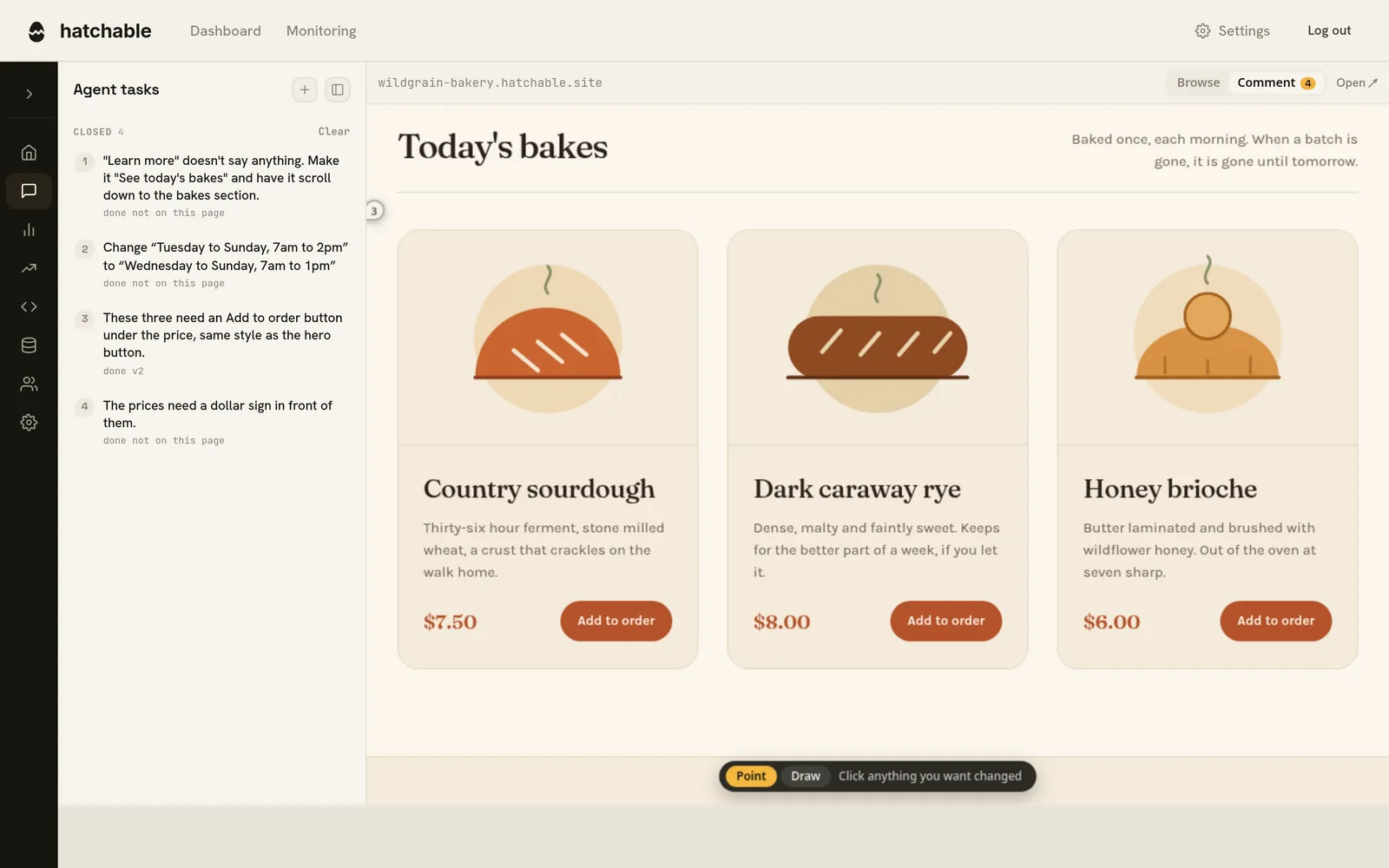
That is what Agent tasks is for. Every project has the tab now, and it puts your live site into the console in comment mode. Click the thing you mean, say what should change, and it goes onto a list your agent reads.
Click it and say what is wrong
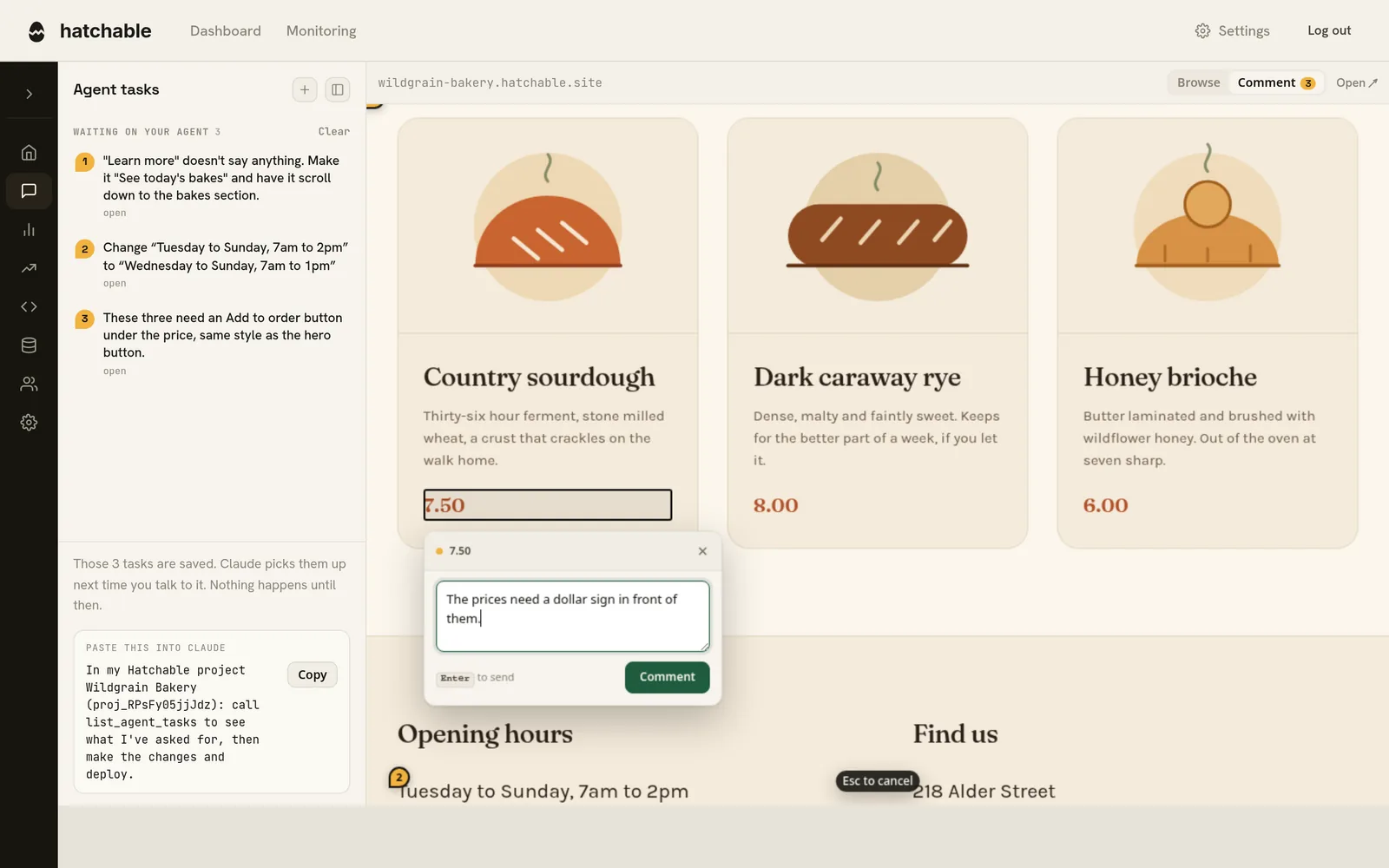
Point at anything on the page and a box opens next to it. Type the change, press Enter. A numbered pin drops on that element and the same number appears in the list on the left, so the queue and the page always read together.
Replace the exact words
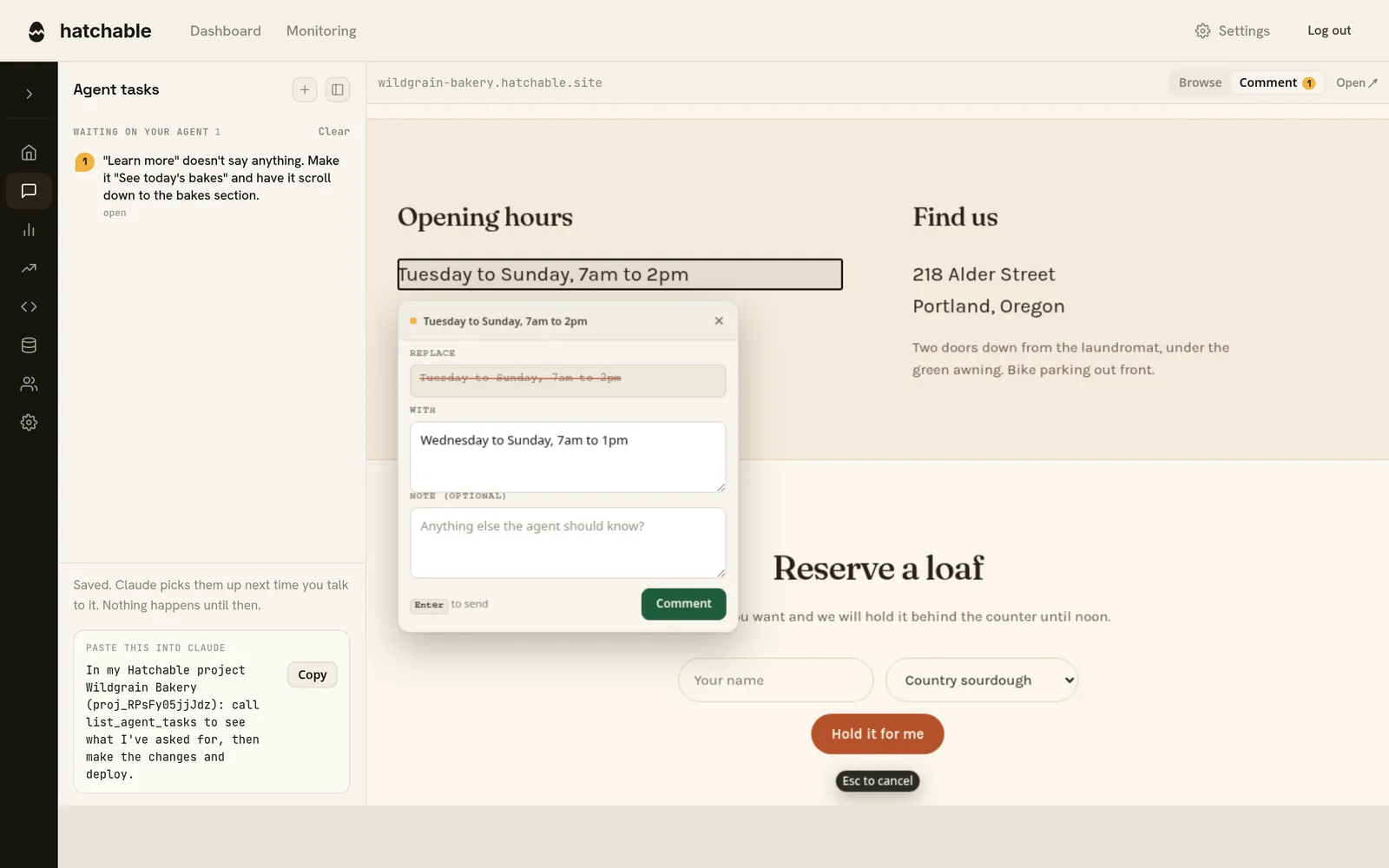
Describing a wording change is oddly hard. “Make the heading shorter” leaves your agent guessing which heading and how much of it.
So select the words instead. The box opens with the old text struck through and a field holding the same words, already selected, so typing replaces them outright. Your agent receives a literal before and after, with an instruction not to reword either side. Leave the field empty and it becomes a delete.
Circle the part you mean
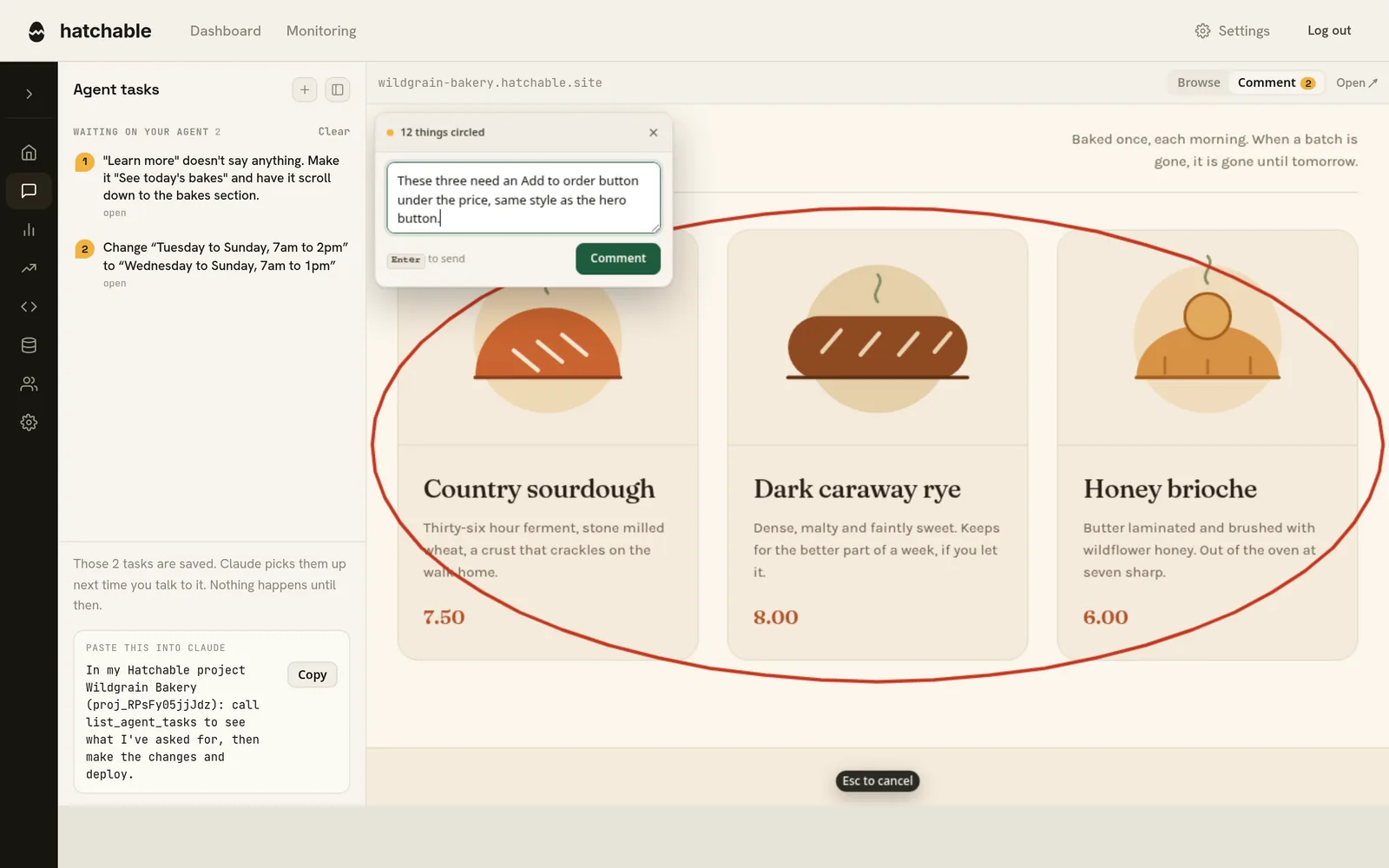
Some asks are not about one element. They are about a group of them, the space between them, or how they line up. Press D, or click Draw, and ring the area with your pointer.
The ink is resolved into elements before it is stored. Hatchable works out what falls inside the ring and keeps only the outermost hits, so circling a card does not arrive as four separate asks about the card, its heading, its text and its button. It also measures what surrounds the region, and if the ring is mostly empty space your agent is told the ask is about the space rather than the things in it.
Swap a picture
Click any image, or anything with a background image, and pick a replacement off your machine. You see the old and the new side by side before you send. Your agent gets the actual file to import, along with an explicit instruction not to invent a substitute for it.
What your agent actually receives
A pin is only worth anything if it survives the trip. Hatchable serves your source code with no build step in the way, so going from the element you clicked to the line that renders it is a lookup rather than a guess.
Here is the real payload for that price, trimmed:
{
  "id": "cr_g2kjUVrkVxlY",
  "title": "The prices need a dollar sign in front of them.",
  "context": {
    "source": [
      {
        "path": "public/index.html",
        "line": 140,
        "matched_on": "text",
        "snippet": "<div class=\"bake-price\">7.50</div>"
      }
    ],
    "element": {
      "selector": "article.bake:nth-child(1) > div.bake-body > div.bake-price",
      "tag": "div",
      "text": "7.50",
      "within": ["div.bake-body", "article.bake", "div.bake-grid"]
    }
  }
}
Evidence is ranked by how unique it actually is in your codebase, not by what kind of evidence it is. That matters on hand-written CSS, where every primary button carries the same class and matching on the class would land your agent on the wrong line. And when the words on screen appear in none of your files, your agent is told they are produced at runtime and pointed at your database instead.
The list waits for your agent
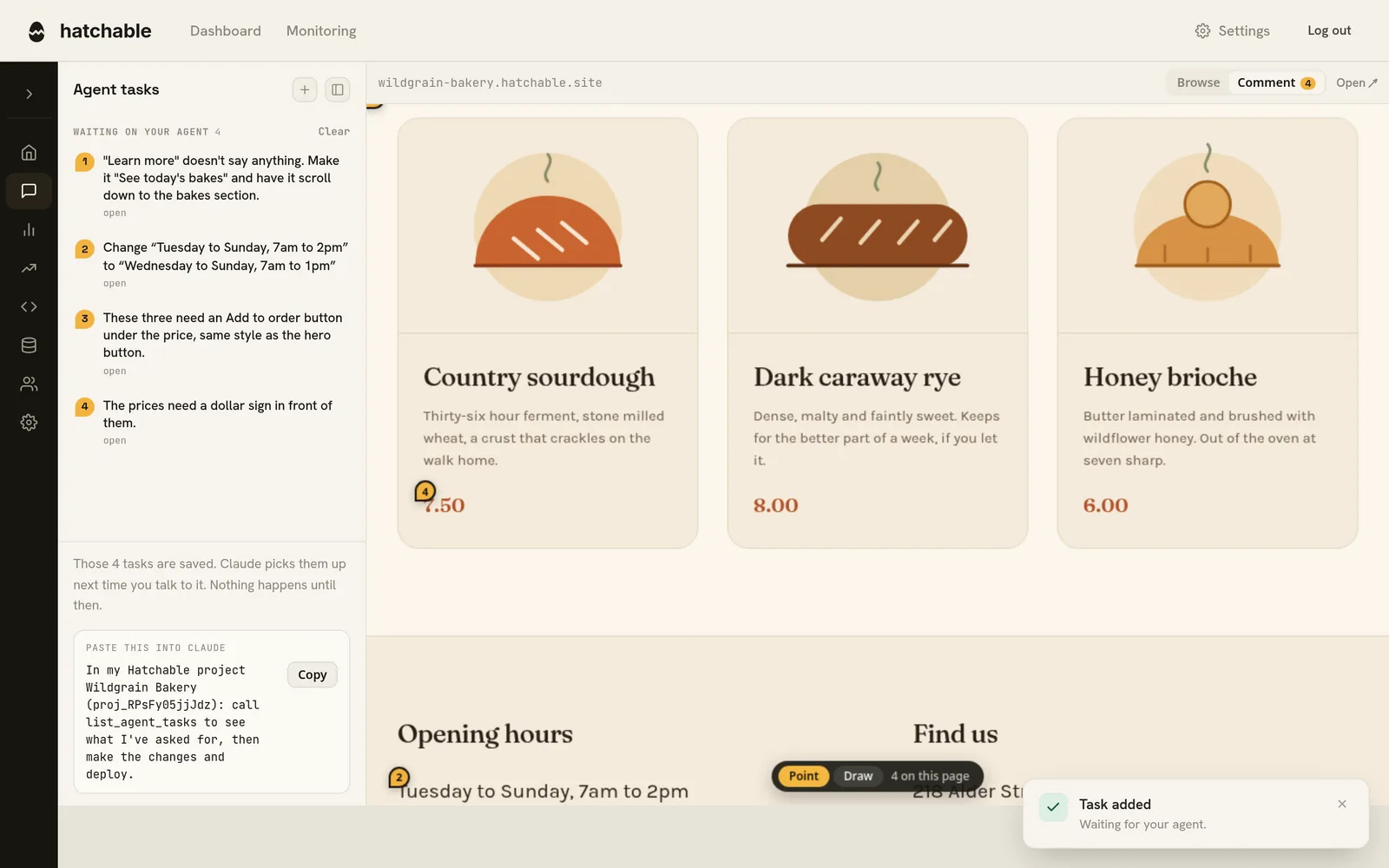
Nothing is pushed. Your agent is not interrupted and no notification goes out, because there is no channel to push down. Your tasks sit with the project and your agent finds them next time you talk to it, either by calling list_agent_tasks or by reading the project’s own manifest.
The console says as much, and hands you the one line to paste if you would rather not wait for it to notice. If nothing has read them after a day, we email you a reminder with the same prompt in it.
They close when the fix ships
When your agent deploys, it names the tasks it addressed, and each one closes against that exact version. You see done and the version number that did it, and the History entry links the two.
A deploy never closes anything on its own. Agents deploy for all sorts of unrelated reasons, and a list that quietly empties itself while nothing you asked for got done is worse than a list nobody read. If your project reviews drafts before they go live, the tasks move to waiting on your review instead and close when you promote the draft. Roll back past the deploy that fixed something and it reopens, with a note saying why.
A few practical things
The canvas appears once a project has been deployed at least once, since there has to be a page to point at. Before that, you can still write a task by hand with the + button.
Comment mode swallows clicks so that pointing at a link does not navigate you off the page. Switch to Browse to use the site normally, walk to the view you care about, then switch back. V and D flip between pointing and drawing.
None of this reaches your visitors. The picker is only ever injected for a console session looking at its own project, so the site you ship is byte for byte the site you shipped before. Filing is open to the project owner and admins.
It is included on every plan, free plan included.