Lighthouse
An AI agent that answers from your docs — and tells you what it couldn't.
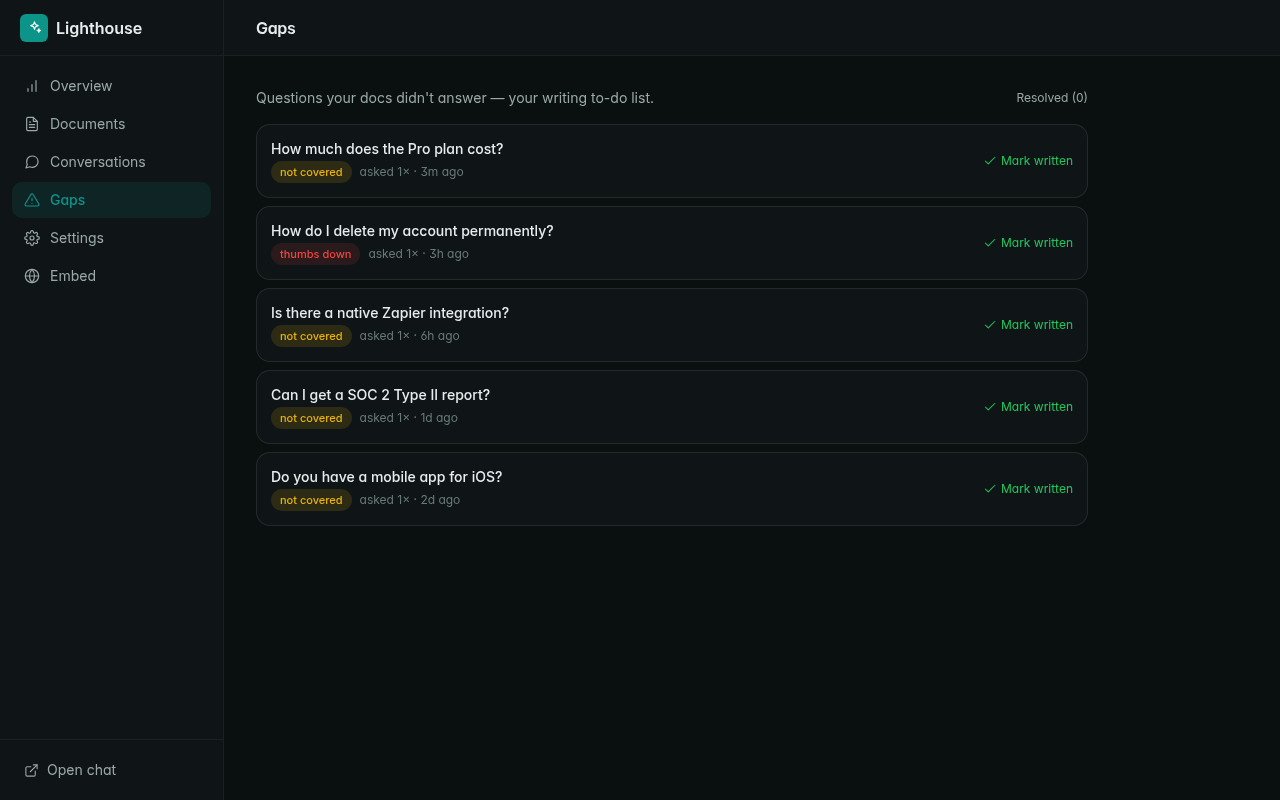
A support assistant that answers questions from YOUR documentation — with citations — and, crucially, surfaces every question it couldn't answer so you know what to write next. The Intercom-Fin shape, source-available, bring-your-own-key.
Not a starter scaffold — a finished product. The seed ships a working assistant trained on a sample SaaS's help center, so the first paint is a real chat. Paste docs or import a URL; the platform chunks and embeds them into a pgvector knowledge base. On each question, Lighthouse retrieves the most relevant passages, answers using only those (citing its sources by number), and refuses — rather than guessing — when the docs don't cover it. Every refusal and every thumbs-down becomes a "gap" on your writing to-do list.
Drops onto any site with a one-line embed (a floating chat bubble), or link people to the full-page assistant. A calm owner console handles documents, conversations, the gaps list, and an AI-spend panel so you always know what answering costs. BYOK: connect any provider key in your Hatchable account — an OpenAI key powers both document search and answers; bring Claude or Gemini if you'd rather use those for the writing.
Source-available — fork it onto your subdomain, edit any file, own it forever. AGENTS.md ships ten extension recipes (crawl a whole docs site, escalate to a human, a Slack bot over the same brain, tool-calling for live data, multilingual answers, a weekly gaps digest) so you or your AI tool can grow it into exactly the assistant your product needs. Free to fork and self-host on Hatchable.
Talk to it from your AI
Once Lighthouse is on your account, the same AI you used to install it can read its data, send its emails, and change its code — for the life of the project. Try things like:
Every Hatchable project ships with an MCP server scoped to it — how it works.
Features
Grounded answers with citations
Every answer is built only from your retrieved docs and cites its sources by number. Cite or refuse — it never invents features or makes things up.
Gap detection — your writing to-do list
Every question the docs couldn't answer (or that got a thumbs-down) becomes a gap, grouped by how often it's asked. The list of what it couldn't answer is the product's real magic.
One-line embeddable widget
Drop a single script tag on any site for a floating chat bubble, or link people to the full-page assistant. Same grounded brain either way.
Bring your own key + spend panel
Connect any LLM provider in your Hatchable account (OpenAI covers search + answers; add Claude/Gemini for nicer writing). A built-in panel shows exactly what answering costs.
Ingest from paste, a URL, or upload
Add docs by pasting markdown, importing a page by URL, or uploading files. Edits re-embed automatically; a Reindex button covers the rest.
Source-available + AGENTS.md
Plain JS, no build step. Ten extension recipes ship with the code: crawl a docs site, escalate to a human, a Slack bot, tool-calling for live data, multilingual, a weekly gaps digest.
What you get
- Source code, deployed to your account on Hatchable
- Your own subdomain (or BYO custom domain on the Pro plan)
- A real Postgres database, scoped to this app
- The ability to make a copy, edit it, and redeploy via your AI tool
- CSV export of your data, any time