Dashboard
A small operating console for your business — fork it, make it yours.
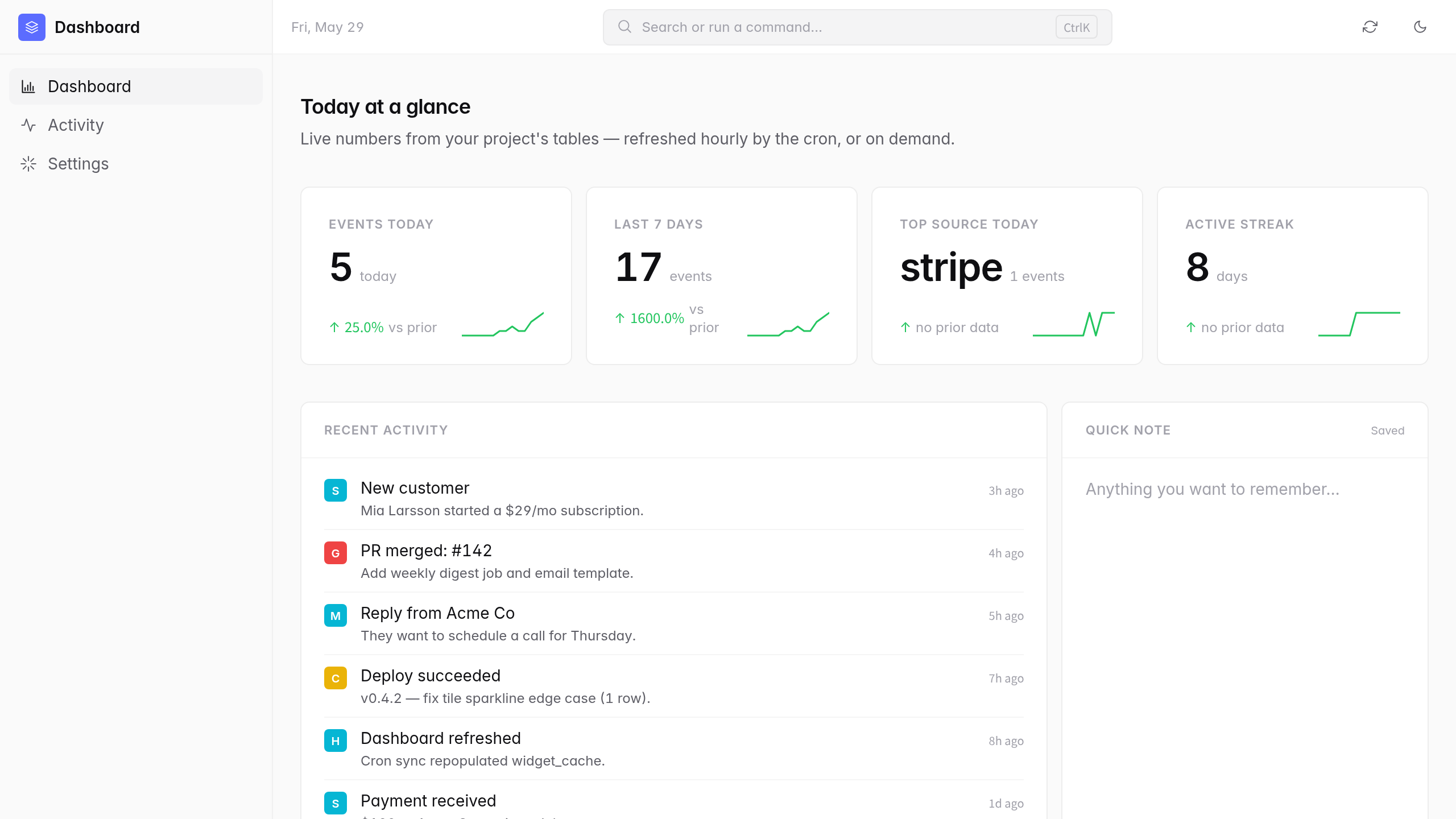
A single-screen dashboard that loads instantly and reads like a real product, not a demo. Four KPI tiles with sparklines and deltas, an activity feed, a scratch note, a ⌘K command palette, dark mode by default.
Widgets read from a jsonb-backed cache the cron refreshes hourly — so the page is instant even when your upstream data sources are slow. Ships wired to a generic activity_events table; uncomment the [[api]] blocks for Stripe, GitHub, or OpenWeather, or wire your own. The whole SPA is about a thousand lines of plain JS — no framework, no build step.
Source-available. Edit the files directly, or open it in an AI tool of your choice (Claude, Cursor, Codex) and have it edit for you — AGENTS.md ships with ten reference patterns for the most common extensions.
Features
KPI tiles with sparklines and deltas
Four tiles out of the box, sourced from your activity_events table. Tabular numerals, hairline borders, no decoration — the Linear / Stripe Sigma look.
⌘K command palette
Search any action, jump to docs, refresh, toggle theme. Cheap polish that signals "real tool."
Dark mode by default
Light mode fully supported. Toggle persists in localStorage; first paint matches your last choice.
Cron-refreshed widget cache
Tiles read from a jsonb cache the cron repopulates hourly. Page loads instantly even when upstream APIs are slow.
Activity feed with source badges
Append-only events table; insert from anywhere in your app. Sources color-coded automatically.
Source-available + AGENTS.md playbook
About a thousand lines of plain JS. Edit by hand, or hand the project to your AI — AGENTS.md has ten reference patterns ready to go.
What you get
- Source code, deployed to your account on Hatchable
- Your own subdomain (or BYO custom domain on the Builder plan)
- A real Postgres database, scoped to this app
- The ability to make a copy, edit it, and redeploy via your AI tool
- CSV export of your data, any time