Email Marketing
Run email campaigns yourself, or let your AI agent send them for you.
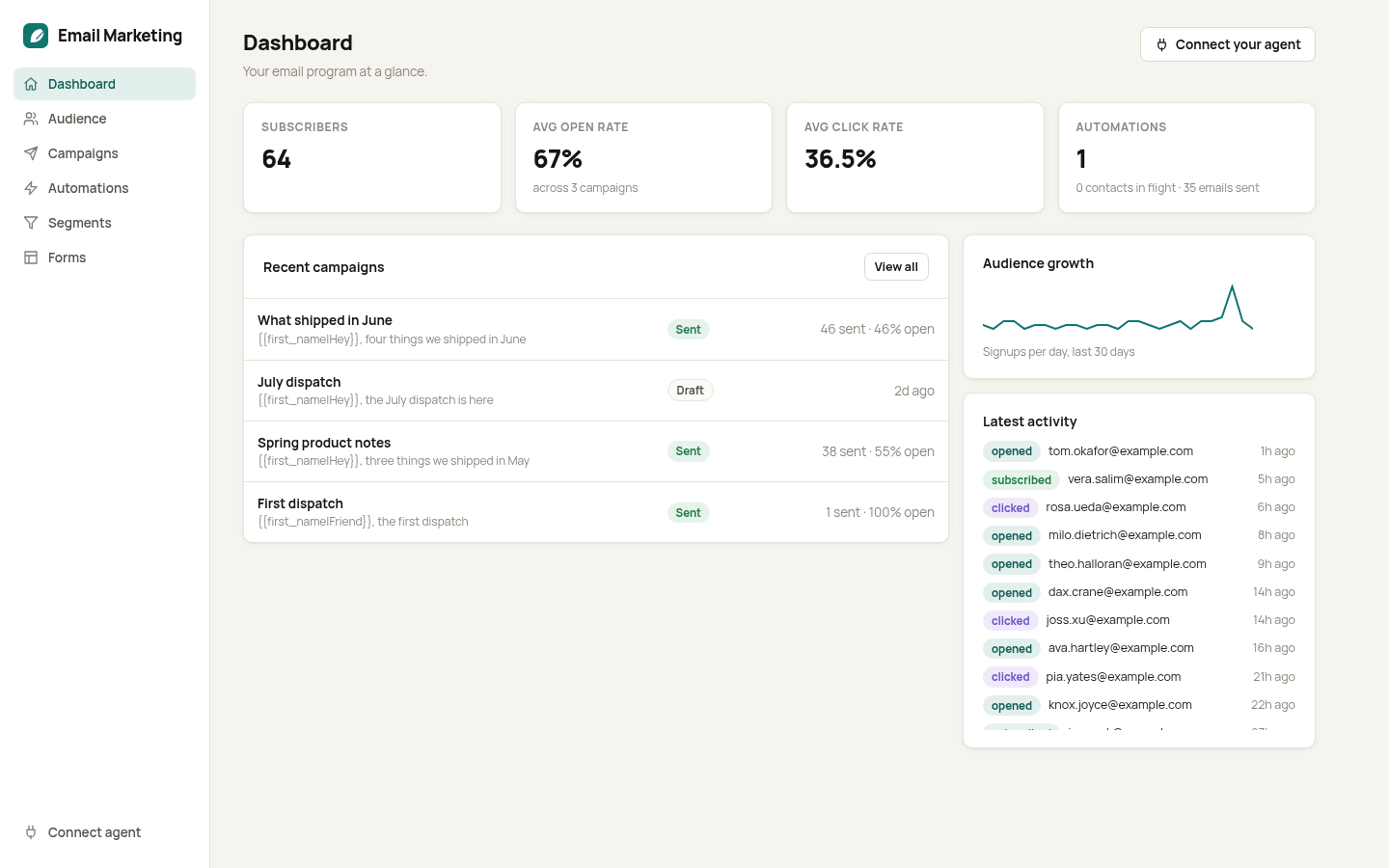
You have a list of people who asked to hear from you and a monthly reason to write. But the send itself is a chore. Import the CSV, cut the segment, build the template, remember to test, hope the unsubscribe link works.
Email Marketing runs your audience, segments, campaigns, and automations from one place. Drive it by hand, or connect your AI assistant and have it draft a campaign, pull the right segment, send a test, and schedule the send from a single instruction.
Ask your agent to send this week's release notes to everyone who opened the last three emails, and it builds the segment, writes a draft for you to approve, and reports opens and clicks when it is done.
It is a self-hosted alternative to Mailchimp with your list in your own database and no per-contact pricing as it grows. Bring your own sending keys.
Copy and Launch it, connect your agent over MCP, and your newsletter starts to run itself.
Talk to it from your AI
Once Email Marketing is on your account, the same AI you used to install it can read its data, send its emails, and change its code — for the life of the project. Try things like:
Every Hatchable project ships with an MCP server scoped to it — how it works.
MCP tools
Draft a new campaign with a subject and body, optionally targeted to a segment.
Edit the subject, body, or targeting of a draft campaign.
Send a test copy of a campaign to a single address before the real send.
Send a campaign now or schedule it for later.
Create or update an audience segment from behavior filters.
Add, update, or unsubscribe contacts in the audience.
Set up or edit an automated sequence such as a welcome or win-back flow.
Return opens, clicks, and delivery stats for a sent campaign.
Features
Audience and segments
Keep every contact in one list and slice it by behavior. Send to the people who opened, clicked, or joined this week.
Campaigns and tests
Build a campaign, send yourself a test, and schedule the real send. See opens and clicks in a clean report after.
Automations
Set up a welcome sequence or a re-engagement nudge that runs on its own when someone joins or goes quiet.
Agent-operated over MCP
Connect your AI assistant and it can draft, segment, test, and send. You approve the message, it does the busywork.
Your list, your data
Every contact lives in your own database. No per-contact fees and no vendor holding your audience.
What you get
- Source code, deployed to your account on Hatchable
- Your own subdomain (or BYO custom domain on the Builder plan)
- A real Postgres database, scoped to this app
- The ability to make a copy, edit it, and redeploy via your AI tool
- CSV export of your data, any time