Link-in-Bio
A polished link-in-bio page. Six themes. No database. Live in minutes.
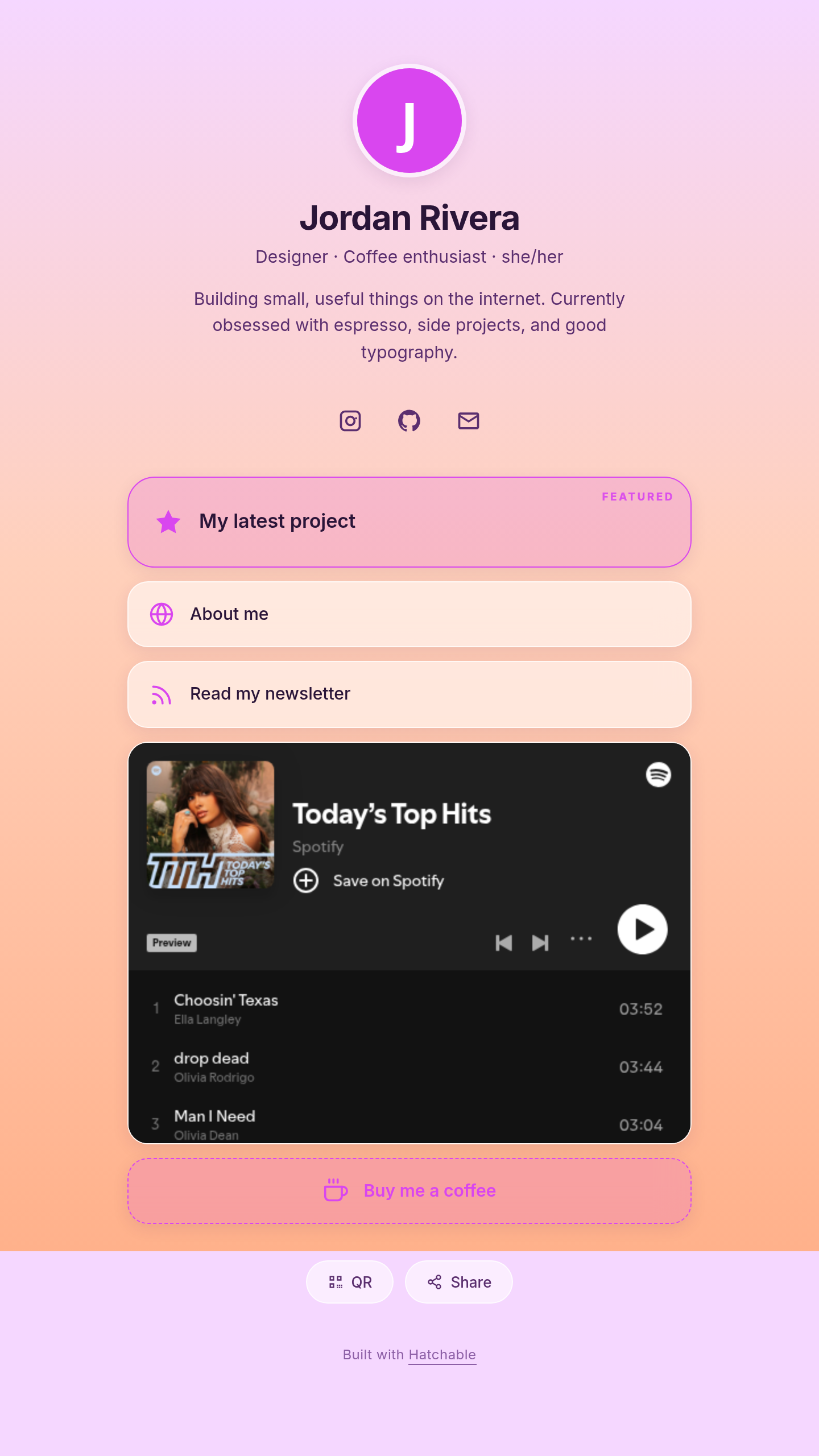
Fork it, fill out the Configure form, go live. Six built-in themes (Aurora gradient, Monogram editorial, Neon dark, Coral sunset, Sage paper, Brutalist). Auto-embed YouTube, Spotify, and SoundCloud links inline. Per-platform social handle row (Instagram, TikTok, YouTube, X, Threads, GitHub, LinkedIn, Discord, email, website) — paste a handle, the URL is built for you. QR code modal, native share button, two-column layout option, accent-color override, custom-font picker, custom-CSS escape hatch. No database required — your link list, profile, and theme live in the project Configure tab. Save and refresh — no redeploy.
Talk to it from your AI
Once Link-in-Bio is on your account, the same AI you used to install it can read its data, send its emails, and change its code — for the life of the project. Try things like:
Every Hatchable project ships with an MCP server scoped to it — how it works.
What you get
- Source code, deployed to your account on Hatchable
- Your own subdomain (or BYO custom domain on the Builder plan)
- A real Postgres database, scoped to this app
- The ability to make a copy, edit it, and redeploy via your AI tool
- CSV export of your data, any time