MCP Server
Expose your project as tools any AI client can call — OAuth handled.
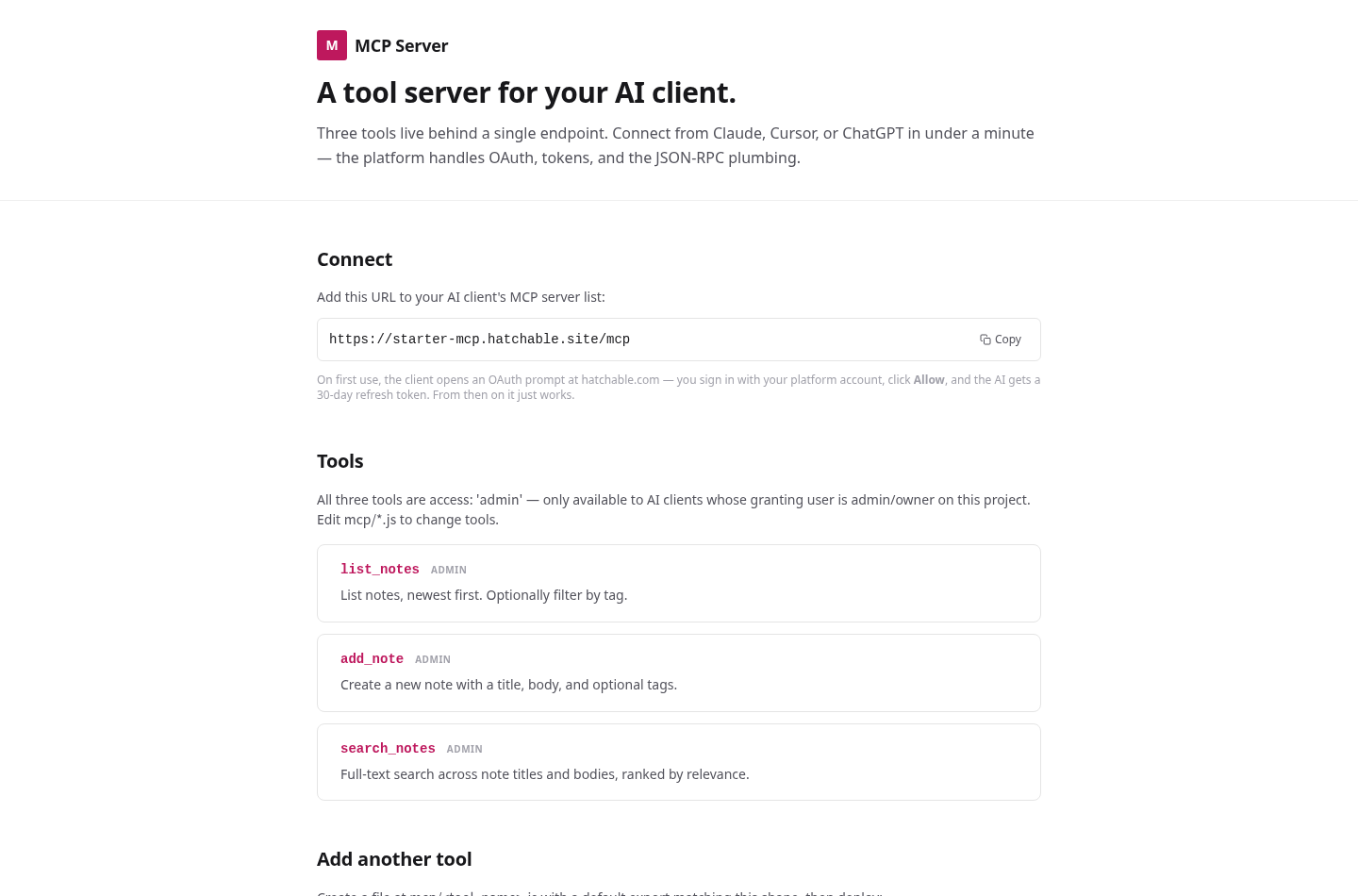
MCP — the Model Context Protocol — is how AI clients like Claude, Cursor, and ChatGPT call out to real tools: your data, your actions, your systems. Standing up an MCP server normally means implementing an OAuth flow, rotating tokens, speaking JSON-RPC correctly, and filtering which tools each caller may see by their role. It's a lot of protocol work before you've exposed a single useful action.
This starter is a complete MCP server where all of that is already handled. You write one small file per tool — a default export with a name, a description, an input schema, and a handler — and the platform does the rest: the OAuth handshake at hatchable.com, 30-day refresh tokens, the JSON-RPC plumbing, and role-based tool filtering (so a member-grant client never even sees an admin-only tool). A human-friendly landing page shows the connection URL and the live tool list.
It ships with three working tools over a Postgres notes table — list_notes, add_note, and search_notes (the last using real Postgres full-text search) — so you can connect a client and call them immediately. Each tool's handler receives a ctx with db, ai, email, storage, and scheduler, so a tool can do real work, not just CRUD.
The notes are just a demonstration. Replace them with the tools your AI workflow actually needs — send_email, create_invoice, query_warehouse, deploy_branch — and you have a private, authenticated tool server any MCP client can use. Copy & Launch it, drop a file in mcp/, and deploy.
Features
One file per tool
A tool is a default export: name, description, inputSchema, and an async handler. Drop a file in mcp/, deploy, and it's live. No protocol code, no router, no boilerplate.
OAuth and tokens, handled
The platform runs the full OAuth handshake at hatchable.com, issues 30-day refresh tokens, and speaks JSON-RPC for you. The client connects with a single URL and a one-time Allow.
Role-filtered tools
Each tool declares an access tier. tools/list is filtered by the granting user's role, so a member-grant client never even sees an admin-only tool — enforcement happens before your handler runs.
A real ctx in every handler
Handlers receive ctx with db, ai, email, storage, and scheduler. Tools can query Postgres, call an LLM, send mail, or defer work — not just shuffle rows. The included search_notes uses native full-text search.
Reshape into your own tools
The three notes tools are a demo. Replace them with send_email, create_invoice, query_warehouse — whatever your AI workflow needs. Copy & Launch, edit mcp/, deploy. Free and source-available.
What you get
- Source code, deployed to your account on Hatchable
- Your own subdomain (or BYO custom domain on the Builder plan)
- A real Postgres database, scoped to this app
- The ability to make a copy, edit it, and redeploy via your AI tool
- CSV export of your data, any time