Multi-tenant SaaS
Open signup, per-user data, login already built — the SaaS spine.
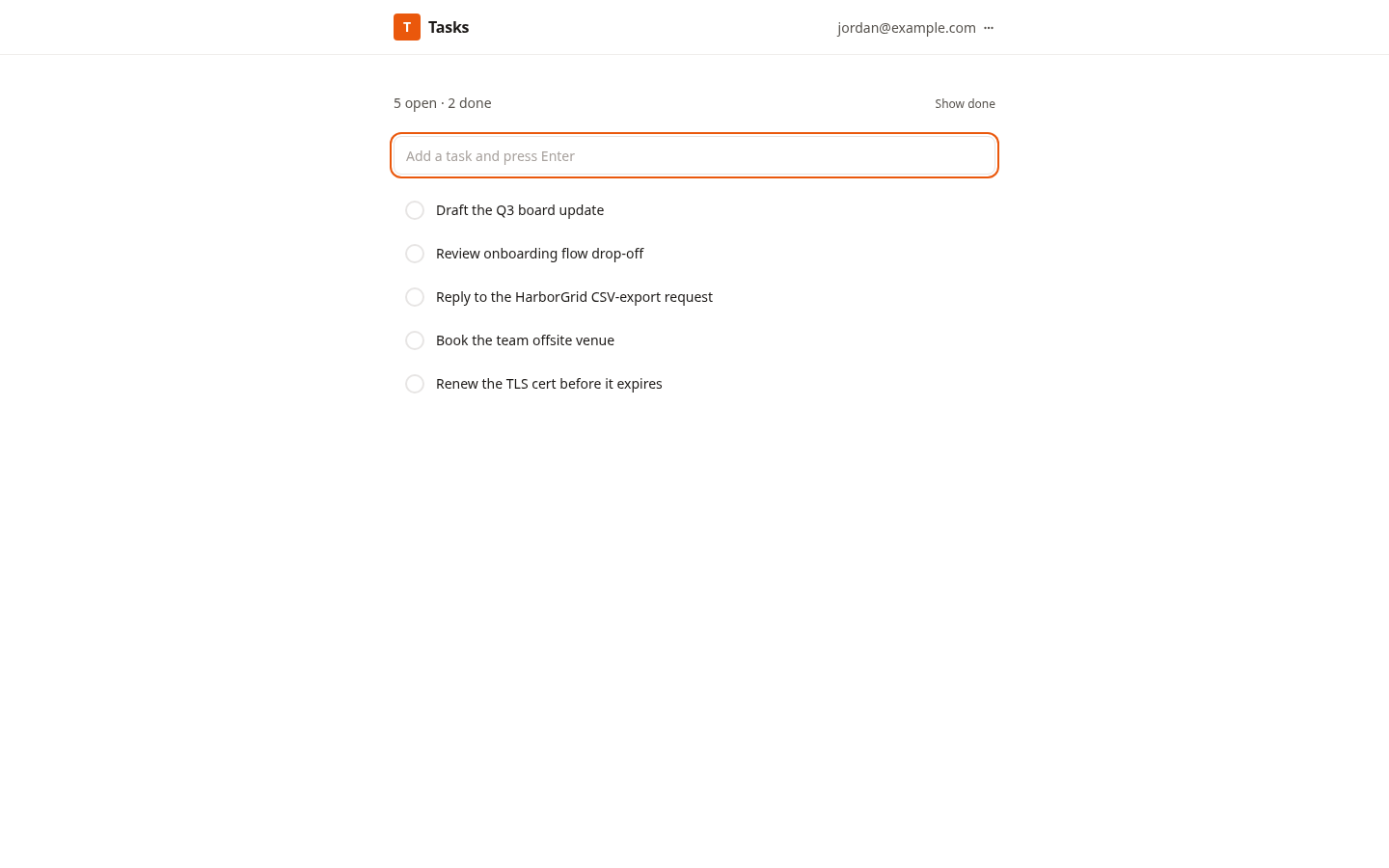
This is the starting point for a real SaaS — the kind where strangers sign up, each gets their own private data, and you never want to see one customer's rows leak into another's. Normally that means building the scariest part of the stack first: an email-code login, passkeys, session cookies, a users table, and per-row scoping you have to get exactly right. Get it subtly wrong and it's a security incident.
Here it's already built and wired correctly. The platform's [auth] block mounts the whole end-user login flow — email one-time code, optional passkey, sessions — so the page ships with a working sign-in/sign-up screen you didn't write. Your data routes stay tiny: call auth.requireUser, then scope every query with WHERE user_id = $1. The included task manager shows the pattern end to end — list, create, update, delete — with each user seeing only their own tasks, enforced on every read AND every write (so a guessed id can't reach someone else's row).
It's the one foundation starter that uses [auth]. If you're building something owner-only or for a small invited team, the Personal App and Team App starters are a better fit — they use the platform's collaborator system and need no login at all. Reach for this one when you specifically need open public signup with isolated per-user data.
Copy & Launch it, rename `tasks` to whatever your users actually own — notes, expenses, projects, workouts — and you have the spine of a SaaS without having touched auth.
Features
Login you didn't have to build
The [auth] block mounts the entire end-user flow — email one-time code, optional passkey, sessions. The app ships with a working sign-in / sign-up screen out of the box. No login form, no session handling, no password storage.
Per-user data isolation
Every route calls auth.requireUser and scopes queries with WHERE user_id = $1. Each user sees only their own rows — enforced on reads and writes, so a guessed id can never reach another user's data.
A complete CRUD example
The included task manager shows the whole pattern — list, create, update, delete — correctly scoped per user. Study it once, then repeat it for whatever your users own.
Knows when NOT to be used
It's the only foundation starter that uses [auth]. For owner-only or small-team apps, the Personal App and Team App starters fit better and need no login. Reach for this one when you specifically need open public signup.
Rename and ship
Copy & Launch it, rename tasks to notes, expenses, projects, or workouts, and you have the spine of a SaaS. Free, source-available, no per-seat pricing.
What you get
- Source code, deployed to your account on Hatchable
- Your own subdomain (or BYO custom domain on the Builder plan)
- A real Postgres database, scoped to this app
- The ability to make a copy, edit it, and redeploy via your AI tool
- CSV export of your data, any time